

VF66PCTool
Power Converters
Power Converter
Motor
VF66PCTool
VF66PCTool an adjustment, monitoring, and ladder programming tool for the VF66 Series and other Toyo Denki inverter, converter, and chopper products. From adjustment to maintenance, this is a powerful support tool for those using our company's products.
VF66PCTool Instruction Manual(3.4MB)
Control Block Editor Function Manual(1.6MB)
Features and Functions
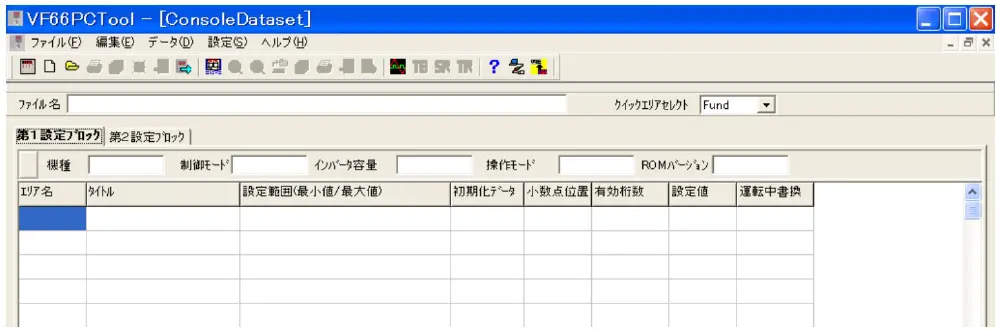
Console data set function
- Connecting Toyo Denki products to a PC allows parameters (setting values) to be sent and received, and parameters on the PC to be edited and saved.
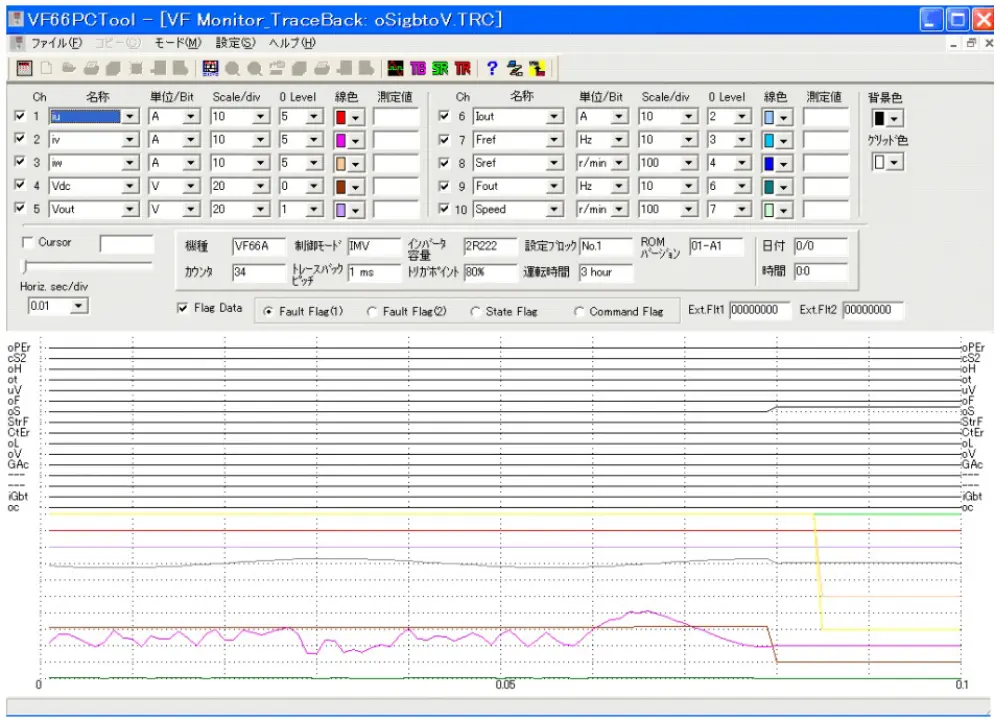
VF Monitor Function
- The traceback monitor can be used to record internal data such as current and voltage before and after the protective function is triggered at a minimum interval of 1 ms and displayed in a waveform.
- The trend monitor provides a graphical representation of internal data during operation.
- The trigger level for any internal data such as current or voltage can be set, and data before and after the trigger level is exceeded can be displayed with a waveform at the storage monitor.
Control Block Editor Function
- Sequence circuits and arithmetic block circuits can be programmed using Toyo Denki's proprietary μ-GPC language for the VF66 Series with built-in PLC functions.
Operating Environment
| Supported OS | Windows 11 Windows 10(32bit/64bit) Windows 8.1(32bit/64bit) Windows 8(32bit/64bit) Windows 7(32bit/64bit) Windows Vista Windows XP Windows 2000 |
|---|---|
| Connection | Virtual COM port (via USB)
To connect VF66PCTool (PC) to the inverter for communication, a dedicated cable "USBIF66-Z (QS23174)" (sold separately) is required. |
| Monitor | XGA (1024 x 768) or higher recommended |
| Language | Japanese/English |
VF66PCTool may not run properly depending on the environment of the PC being used.
| Software |
VF66PCTool Software (43.7MB) |
|---|---|
| Drivers |
USBIF66 driver(550KB) USBIF66 driver Ver3(8.3MB) USBIF66 driver Ver4(3.9MB) |
Product Inquiries